AV Adapters
AV adapters, also known as Audio and Video adapters, enable connections between two or more hardware components or devices with incompatible connectors. AV connectors and interfaces are designed for connecting audio and visual equipment specifically. Using an adapter lets you connect your audio and video components with your existing cables, instead of buying new equipment, which can save time and money.
AV adapters feature connectors such as HDMI, DVI, and DisplayPort. Each end of the adapter will house a connector. This will be a male plug or a female socket, depending on the functionality. An adapter with female HDMI connectors on both ends, for example, can be used to combine two HDMI Cables, while a female-to-male adapter may be used to convert signal formats such as DVI-to-VGA.
Where Are AV Adapters Used?
AV adapters are used anywhere audio or video devices require cross-compatibility. Common applications include:
- Home Entertainment: Connect legacy devices such as DVD players, VCRs, or older gaming consoles to modern flat-screen TVs using an AV adapter, like HDMI adapters.
- Office & Meeting Rooms: An AV cable adapter allows professionals to connect laptops or tablets to projectors or large displays. These adapters make presentations seamless in business settings.
- Education & Classroom Applications: Schools frequently use projectors and mixed-technology equipment. AV adapters help convert analog outputs to digital displays for consistent performance.
- Mobile & Travel Setups: An AV-to-USB adapter enables quick connectivity for portable workstations, docking, or content sharing across devices with limited ports.
Types of AV Adapters
AV adapters come in several major categories, each designed to ensure compatibility between different audio and video interfaces. In most cases, adapters help users connect older devices to modern displays, extend cable runs, or simply match mismatched connector types. Some of the common AV adapters include the following:
Digital to Digital Adapters
Digital-to-digital adapters provide physical connector adaptation without altering the underlying signal. Examples include HDMI-to-DVI, DVI-to-HDMI cables, and DisplayPort-to-HDMI adapters. These are ideal when the devices communicate using compatible digital standards but use different connector types. Since no signal conversion occurs, these adapters tend to maintain high-quality output with minimal loss.
USB-C / USB to AV Adapters
Devices with USB-C or USB ports, such as laptops and tablets, often require an adapter to connect to external displays. AV adapters like USB-C to HDMI and USB-C to VGA allow users to output video from compact modern devices to a wide range of screens and projectors. These adapters are especially useful in business, education, and mobile work setups.
Cable / Connector Gender or Format Adapters
AV adapters are often classified by their gender or format conversion function. Gender adapters change the connector type from male to female (or vice versa), while format adapters connect different connector types. These accessories allow you to extend or adapt cables without altering the underlying signal.
Common examples include:
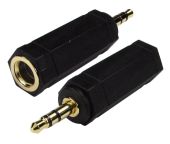
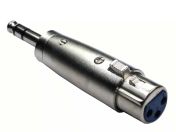
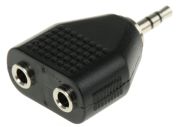
- Female Stereo to Male Stereo
- Male DVI-D to Female DVI-D
- Male HDMI to Female HDMI
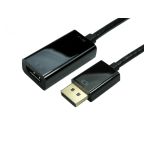
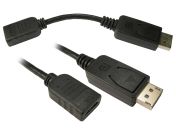
- Female HDMI to DisplayPort
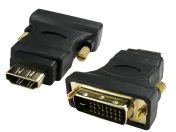
- Male DVI to Female HDMI
- Female RCA to Male mono
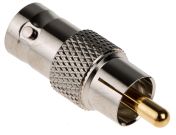
- Male RCA to Female BNC
- Male VGA to Female Phono
- Female RCA to Female RCA
More About DVI Adapters
DVI (Digital Visual Interface) is a long-standing video standard used to transmit high-quality digital or analog video signals. Within the broader AV adapter category, DVI adapters enable compatibility between older graphics hardware and modern displays. Because devices often feature a mix of HDMI, VGA, and DVI ports, adapters ensure users can connect equipment without replacing cables or screens.
One important limitation to note is that DVI does not carry audio. Unlike HDMI, which transmits both video and sound through a single cable, DVI requires a separate audio solution if sound output is needed. This makes choosing the right AV adapter especially important for home entertainment or workstation setups.
When selecting a DVI adapter, buyers should consider:
- Connector Type: Choose between DVI-D (digital), DVI-A (analog), and DVI-I (integrated analog + digital), ensuring compatibility with your device’s port.
- Directionality: Male-to-female orientation must match the devices and cables being connected.
- Signal Needs: Determine whether you require true signal conversion (e.g., DVI to HDMI) or simple physical adaptation.
More About HDMI Adapters
HDMI (High-Definition Multimedia Interface) is one of the most widely used audio-video connector standards in homes, offices, and entertainment environments. HDMI adapters fall under the broader AV adapter category and allow seamless connectivity between HDMI-equipped devices and a range of other interfaces.
Common HDMI-type adapters include:
- AV to HDMI Adapter: Used to connect legacy analog sources (like RCA devices) to HDMI displays.
- HDMI to DVI Adapter: Ideal for linking digital-only DVI monitors to HDMI video sources.
- HDMI Couplers: Extend the length of HDMI cable runs.
- HDMI to USB or USB-C Adapters: Commonly used for docking stations, laptops, and tablets.
When choosing an HDMI adapter, several key specifications should be evaluated to ensure optimal performance:
- Resolution Support: Check whether the adapter supports 1080p, 1440p, or 4K, depending on your display needs.
- HDR Compatibility: Ensure the HDMI adapter is suitable for your device for high-contrast and color-rich viewing.
- Cable Length and Build Quality: Longer HDMI runs require better shielding to prevent signal loss.
How to Choose the Right AV Adapter
Selecting the right AV adapter ensures reliable connectivity, optimal performance, and compatibility across your devices. When buying an AV adapter in RS Philippines, consider the following:
- Match Source & Destination Ports: Start by identifying the output port on your device and the input port on your display. Common interfaces include HDMI, DVI, VGA, DisplayPort, and USB-C. The correct AV adapter should bridge these exact ports.
- Determine Conversion vs Adaptation: Understand whether you need true signal conversion or simple physical adaptation. Choosing the wrong type may result in no signal output, distorted video, or missing audio.
- Check Resolution & Audio Requirements: Ensure the adapter supports the display quality you need, whether that's 1080p, 1440p, or 4K. Audio is another key consideration, as HDMI carries both audio and video, while DVI and VGA do not. If your setup requires audio, choose an adapter that includes audio pass-through or plan for a separate audio connection.
- Evaluate Cable Quality & Length: For longer cable runs, look for adapters and cables with proper shielding to prevent interference or signal drop-off. Passive adapters may struggle over extended distances, especially when transmitting high-resolution video, so consider active solutions when necessary.
- Check Device Compatibility: Different devices may require specific adapter formats. Laptops, tablets, gaming consoles, and streaming devices often rely on USB-C-to-AV or AV-to-USB adapters for display output. Always verify that the adapter supports your device’s output protocol (e.g., DisplayPort Alt Mode for USB-C).
- Consider Budget & Local Availability: Review the prices of the AV adapters you’ve come across and compare your options to find a cost-effective solution that meets your requirements without compromising performance.
Why Buy AV Adapters from RS Philippines?
From simple couplers to DVI-to-HDMI and VGA-to-HDMI adapters, RS Philippines carries a full range of AV connectors from top brands like Neutrik, Roline, and our very own RS PRO. All AV adapters meet compatibility standards for HDMI, DVI, VGA, and other interfaces, meaning you don’t waste time with trial-and-error purchases. Aside from AV adapters, we also offer VGA cables, USB cables, and more.
Shop at RS Philippines for trusted audio-video solutions that help you connect your devices with confidence. For more information on delivery options and fees, please visit our delivery page.

Popular Searches
Related links
- AV Connectors
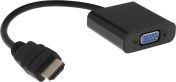
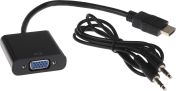
- RS PRO Straight AV Adapter HDMI Male HDMI to VGA Adapter Female VGA
- Audio & Video Faceplates
- Neutrik Straight AV Adapter 1/4 in Mono Male Audio Female XLR
- RS PRO Straight AV Adapter DVI Male Audio Female HDMI
- Neutrik Straight Adapter BNC Female Audio Female XLR
- RS PRO Straight Adapter DVI-D Male Adapter Female HDMI
- RS PRO Straight AV Adapter HDMI Female Audio Female HDMI