Serial Cables
Serial cables are essential tools for data transmission, enabling communication between devices using serial communication protocols. This makes them fundamental components in countless industrial, laboratory, and home computing setups. From connecting a computer to a modem to linking industrial machinery, a reliable serial cable ensures the stable and secure flow of data.
What Is a Serial Cable?
A serial cable facilitates the transmission of data one bit at a time over a single communication channel. These cables connect various devices like computers, modems, and printers.
Common types include RS232, RS485, and USB-to-serial cables, with RS232 being a long-standing standard. On the flip side, USB-to-serial adapters help connect older devices to modern computers that do not come with dedicated serial ports.
How Is an RS232 Cable Made?
An RS232 serial cable is a key component in serial communication, built to ensure reliable and protected data transfer. Understanding its construction provides valuable insight into its functionality. Each cable is made out of:
- Conductors: RS232 cables typically contain multiple copper conductors corresponding to the pins on the serial connector, with common configurations like DB9 (9 pins) or DB25 (25 pins). These serial cord conductors carry the electrical signals required for communication.
- Shielding: High-quality serial cables often include shielding such as foil or braided mesh to protect data signals against electromagnetic interference (EMI) and radio frequency interference (RFI). This is vital for signal integrity, especially in industrial settings.
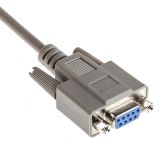
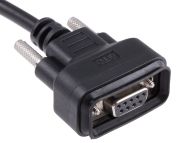
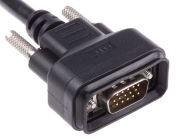
- Connectors: Serial cable ends usually feature D-subminiature connectors, with DB9 connectors being trapezoidal-shaped with 9 pins. These connectors come in male (pins) and female (holes) variants.
- Insulation: Each conductor is wrapped in an insulating material to prevent short circuits and protect the wires from physical damage and environmental factors.
- Wiring Standard: The internal wiring follows specific standards such as straight-through or null-modem, which dictates how the devices at each end communicate with one another.
Common Uses of Serial Cables
The versatility of a serial connector and its associated cables makes them useful in numerous applications.
- Computer Networking: Connecting computers to modems, routers, or network switches for configuration and data transfer.
- Industrial Equipment: Serial data cables are used to link controllers, human-machine interfaces (HMIs), barcode scanners, and sensors to control systems in manufacturing and automation.
- Laboratory: Researchers and scientists use serial cables to connect lab instruments, such as oscilloscopes, multimeters, and data loggers, to computers for data acquisition and analysis.
- Embedded Systems: Hobbyists and engineers rely on serial communication to program and communicate with microcontrollers, single-board computers like Raspberry Pi and Arduino, and other embedded devices.
- Serial Devices: Many older peripherals like printers, cash registers, and point-of-sale systems utilize a serial port cable for communication. The affordable price of this serial cable makes them a cost-effective solution for legacy systems.
Types of Serial Cables & Connectors
Understanding the different types of serial cords and connectors available is key to choosing the right product for your needs.
RS232 Serial Cables
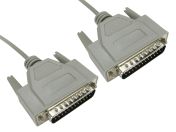
The most common type of serial cable and connector, used for point-to-point communication in PCs, modems, printers, and industrial equipment. These are available with DB9 (9-pin) or DB25 (25-pin) connectors, in male or female versions.
USB-to-Serial Cables
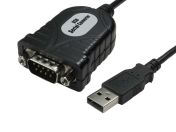
A modern solution that bridges the gap between old and new technologies, a serial USB cable allows you to connect devices with RS232 or RS485 serial ports to a computer's USB port.
Null Modem Cables
A specialized serial connection cable that is wired to allow two computers or DTE (Data Terminal Equipment) devices to communicate directly, without the need for a modem.
RS422 / RS485 Cables
These differential serial cables are used in industrial environments where longer distances, multiple device networks, and noise immunity are important.
Console / Rollover Cables
These specialized serial connector cables (often RJ45 to DB9) are used for configuring and managing network devices such as routers, switches, and industrial controllers.
How to Choose the Right Serial Cable
Selecting the perfect serial cable for your application can be simplified by considering these key factors.
- Connector Type: Identify whether DB9, DB25, or USB adapters are needed based on device ports.
- Cable Length: Measure the distance between your devices to ensure you choose a serial cord of adequate length. Where needed, cable ties can help to keep your wires organized and promote workplace safety.
- Cable Shielding: For industrial environments with high electrical noise, opt for a shielded serial data cable to protect against interference.
- Signal Type: Determine if your devices use the RS232 standard or another, like RS485, which is suitable for longer distances and multi-drop networks.
- Data Transfer Rate: Ensure any cable you choose can support the required baud rate (bits per second) for your application.
- Power Requirements: If the cable is intended to provide power to the connected device, verify that it is designed for this purpose.
- Budget: Serial cable price is also a factor; balancing cost with quality and functionality is key to ensuring a reliable connection.
RS232 Cable Specifications
- Maximum Cable Length: RS232 serial cables typically go up to 15 meters (50 feet) at 19.2 kbps; length depends on cable capacitance and environment.
- Maximum Data Rate: Standard RS232 supports up to 20 kbps; commercial products often exceed this up to 250–350 kbps with proper cabling.
- Voltage Levels: Signals range from ±5V to ±15V commonly; logic levels are bipolar, with defined voltage thresholds for data states.
- Connector Standards: DB9 and DB25 D-sub serial connectors are standard, with male/female gender configurations.
- Shielding and Capacitance: Shielding is important to reduce noise; total capacitance should be limited (e.g., below 2500 pF) to maintain signal integrity.
- Communication Mode: Full-duplex, single-ended, point-to-point connections.
Why Buy Serial Cables from RS Philippines
When it comes to sourcing reliable serial cables in the Philippines, RS is your trusted partner. We offer a comprehensive selection that includes various types like RS232, USB-to-Serial, DB9, and null modem cables from trusted global brands like Phoenix Contact, Roline and StarTech.com. Looking for parallel cables, KVM cables or thunderbolt cables? We’ve got it in our catalog, too.
RS provides competitive serial cable prices in the Philippines, allowing you to find a cost-effective solution without compromising on performance. Our efficient logistics network enables quick local delivery, with next-day delivery options available for urgent needs. To find out more about our ordering process, delivery services, and delivery fees, please head to our delivery page.

Related links
- L-Com Female DB9 to Female DB9 Serial Cable CRM Series
- L-Com Male DB9 to Female DB9 Serial Cable CPM Series
- L-Com Male DB9 to Female DB9 Serial Cable CSM Series
- RS PRO Male 9 Pin D-sub to Male USB A Serial Cable, 200mm PVC
- RS PRO Male 25 Pin D-sub to Male 25 Pin D-sub Serial Cable, 5m
- RS PRO Male 25 Pin D-sub to Male 25 Pin D-sub Serial Cable, 3m
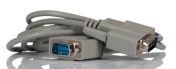
- RS PRO Male 9 Pin D-sub to Female 9 Pin D-sub Serial Cable, 1m PVC
- RS PRO Male 25 Pin D-sub to Male 25 Pin D-sub Serial Cable, 10m PVC