- Published May 15, 2024
- Last Modified Nov 13, 2025
- 10 min
A Complete Guide to SATA Cables
This guide covers everything you need to know about SATA cables, from the different types and their functions to the connectors they use and how to choose the right one for your needs.

What is a SATA cable?
Serial Advanced Technology Attachment (SATA) or Serial ATA cables are used in computer cable assemblies to connect storage devices to a motherboard or host adapter. SATA is a connector interface commonly used for mass storage devices such as hard disk drives (HDDs), optical drives (ODDs), and solid-state memory drives (SDDs).
SATA cables can connect a range of devices, including:
- Hard drives
- Optical drives
- Solid-state memory drives
SATA supports hot plugging, allowing devices to be connected or removed while the system is running without requiring a reboot. This ensures operating systems recognize new or removed devices automatically.
Functions of SATA Cables
In a computer, SATA cables serve two essential functions: transferring data and delivering power. Together, they enable smooth communication and reliable electricity supply between the motherboard, the storage devices (HDDs, SSDs), and optical drives (ODDs). The data cable handles high-speed data movement, while the power cable ensures devices receive the voltages needed to operate correctly.
SATA Data Cable Function
The function of a SATA data cable is to connect a storage device like HDD/SSD or ODD directly to the motherboard. It uses a 7-pin connector and supports differential signaling to reduce interference and improve signal integrity. In its current standard, SATA III, the data cable can transfer data at speeds up to 6 Gbps (gigabits per second).
This high bandwidth allows operating systems, applications, and large files to be read from and written to storage swiftly, which is vital for boot-times, file transfers, loading games, etc.
SATA Power Cable Function
The SATA power cable’s function is to supply electrical energy from the power supply unit (PSU) to the storage or optical drive. It uses a 15-pin connector that provides multiple voltage rails: +3.3V, +5V, and +12V.
These different voltages cover various parts inside the device, logic circuits usually need +5V (or sometimes +3.3V), motors or mechanical components often need +12V. Without reliable power delivery, the drives can behave erratically or fail to spin up.
SATA vs PATA
Introduced in 2001, SATA cables replaced older Parallel ATA (PATA) cables, offering much faster data transfer rates:
SATA Generation | Interface Speed (Gbps) | Bandwidth (Mb/s) |
|---|---|---|
| SATA I | 1.5 | 150 |
| SATA II | 3.0 | 300 |
| SATA III | 6.0 | 6000 |
PATA uses a wider 40-pin or 80-wire ribbon cable and is now rarely used due to lower speeds and bulkiness.
Types of SATA Cables
SATA cables vary by length, connector types, and form factor. Knowing the options available helps in choosing the best cable for each setup.
The two main connector types are:
- SATA Data Cable: Smaller 7-pin connector
- SATA Power Cable: Larger 15-pin connector
Special variants include:
- Mini or micro SATA: For small internal drives, such as 1.8" SSDs
- e-SATA: External SATA cables designed for connecting external drives to computers
- SATA to USB: Adapters to connect SATA drives externally via USB
Common SATA Cables
Type of SATA Cable | Definition | Uses and Applications |
|---|---|---|
| Standard SATA Cable (Straight to Straight) | Traditional SATA cable with straight connectors on both ends | Connecting internal HDDs, SSDs, and ODDs to the motherboard for standard data transfer |
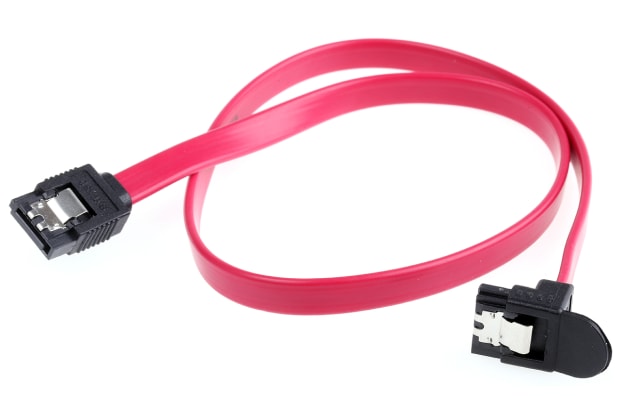
| Angled SATA Cable (Right-Angle) | SATA cable with one or both connectors at a 90° angle | Useful in tight spaces or behind motherboards/cases where clearance is limited |
| e-SATA (External SATA) | External SATA cable designed for outside-the-case connections | Connecting external storage devices with high-speed data transfer |
| SATA to USB Cable | Cable converting SATA interface to USB | Connecting internal drives externally via USB for data transfer or backup |
| SATA Power Splitter Cable | Power cable that splits a single SATA power connector into multiple outputs | Powering multiple drives from one PSU connector |
| Slimline SATA Cable | Thin, low-profile SATA cable typically for optical drives or slim devices | Internal connection for slimline ODDs or laptops with limited space |
| Micro SATA | Miniaturized SATA cable used for compact storage devices | Internal connection for 1.8" drives, SSDs, or small form-factor devices |
SATA Cables by Generation
SATA cables are categorized into generations, SATA I, II, and III, each offering different data transfer speeds. These generations are backward-compatible, meaning newer cables and devices can function with older ones, though at the older generation's maximum speed. For instance, a SATA III cable can work with a SATA I device, but the data transfer rate will be limited to 1.5 Gbps.
This backward compatibility ensures flexibility when upgrading components, allowing users to mix and match devices and cables across generations without compatibility issues.
SATA Generation | Data Transfer Rate | Maximum Speed | Backward Compatibility |
|---|---|---|---|
| SATA I | 1.5 Gbps | 150 MB/s | Compatible with SATA II and SATA III |
| SATA II | 3 Gbps | 300 MB/s | Compatible with SATA I and SATA III |
| SATA III | 6 Gbps | 600 MB/s | Compatible with SATA I and SATA II |
SATA Cables By Length
SATA cable length is generally quite short as these cables are used internally inside PC cases. The maximum length tends to be around one meter. Larger SATA cables are available but these are rarely used because the extra cable length is just not necessary in standard assemblies.
Which SATA Cable to Use?
SATA Power Cable Connectors
SATA power cable connectors are the larger of the two, featuring 15-pins. Three pins within the connector work in parallel to supply different voltages (+3.3V, +5V, and +12V). Some earlier versions also offer the dated four-pin Molex connector (the standard used with PATA cables) but most modern SATA power cables simply offer the newer 15-pin connector. The benefits of SATA power cables include increased current capacity and reduced electrical impedance.
SATA Data Cable Connectors
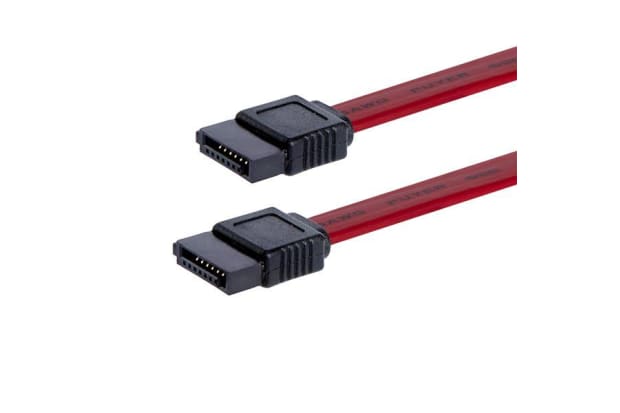
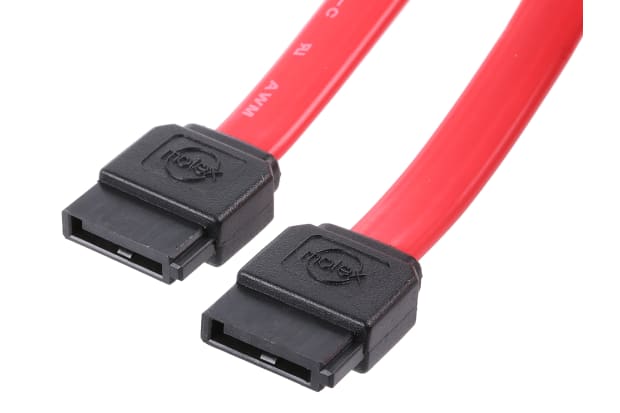
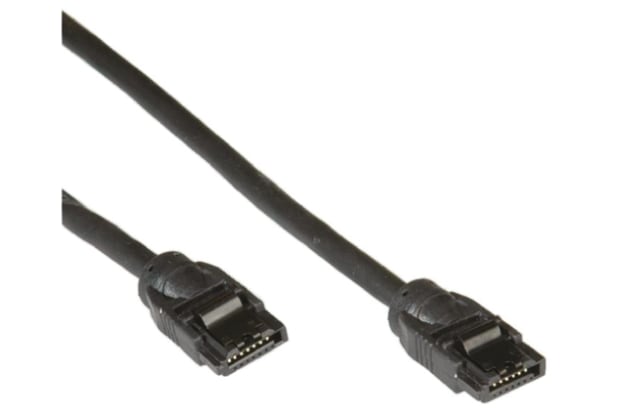
As previously mentioned, SATA data connectors typically feature seven pins – explained in the chart below. In a standard assembly, one end of the cable will be connected to the hard drive, while the other will be connected to the motherboard. SATA data cables are typically small and compact, providing additional space for cooling the system. These data connectors also include differential signalling to reduce the risk of data loss during transfer.
SATA Pinout
The SATA interface has seven pins for data interface. This pinout displays the details for a standard SATA cable:
Pin | Name | Function |
|---|---|---|
| 1 | GND | Ground |
| 2 | A+ | Transmit+ |
| 3 | A- | Transmit- |
| 4 | GND | Ground |
| 5 | B- | Receive- |
| 6 | B+ | Receive+ |
| 7 | GND | Ground |
SATA to USB Power Cables
Designed for external data transfer or backup, SATA to USB cables enable connecting internal drives to external USB ports on laptops or desktops. SATA to USB adapters are popular for adding portable storage.
SATA Connectors
A SATA connector is the physical interface where a SATA cable plugs into a device. Connectors come in “male” and “female” forms to ensure devices mate correctly.
The male connector refers to the plug end on the SATA cable, it has protruding contacts and fits into a port. The female connector is the port (on storage devices like HDDs/SSDs or on the motherboard) with recessed sockets that accept the male plug.
This male/female distinction ensures proper orientation, preventing incorrect insertion, loose connections, or damage. Secure fit-ment via these connectors keeps data signals stable and hardware safe.
What SATA Cables Are Used For?
SATA Power Cables
SATA power cables have 15 pins (power and ground) with multiple ways to supply voltage. Adapters exist for converting older PSU connectors to SATA power.
SATA Cables for HDDs
In a PC setup, SATA cables connect internal hard drives to motherboards. Hard disks typically feature multiple inlet ports, at least one of which will be SATA compatible. The SATA cable is also responsible for supplying power to the hard disk so additional hard drive power cables may not be required.
SATA cables are beneficial as their shape has been specifically designed to help maximize airflow inside a CPU, saving space and boosting performance.
It is also worth noting that SATA cables can be used to connect external hard drives to a PC via the e-SATA input. Likewise, it may be possible to connect an external hard drive to a computer using a SATA to USB adapter if the particular hard drive supports USB input.
SATA Cables for Laptops
If you are using a laptop rather than a standard PC, the chances are that the laptop’s storage devices (HDDs, SSDs etc.) are attached directly to the motherboard. As a result, a SATA cable should not be necessary. The motherboard and the breakout boards connected to the storage devices are joined with a thin, flat SATA cable specially designed for use in laptop assemblies.
How to Install SATA Cables for HDD Applications?
Installing SATA cables should not be a complicated task, but it is still important to complete the installation safely and correctly. The exact method of installation will vary depending on the intended purpose of the SATA cable.
If you simply need to replace an HDD, it’s worth noting that it is possible to avoid the need to disconnect the SATA cable from the motherboard. This way, only the SATA cable connector attached to the HDD itself will need to be removed and replaced once the new HDD has been successfully installed.
On the other hand, if you are using a SATA cable to add additional storage to a configuration, you do not need to address the existing hard drive. Instead, you will need to follow these steps:
- Insert the new hard drive into an empty bay in the PC case, ideally with space between the new and existing drives to enable better airflow.
- Ensure that the SATA cable connection ports are easily accessible then secure the drive in position.
- Connect the SATA cable to the port on the hard drive, then connect the other end of the cable to the motherboard, taking care not to disturb or impede the connection to the existing HDD.
- The primary drive should be connected to the motherboard’s lowest SATA port – usually SATA 0 or SATA 1.
- Complete the process by ensuring all connections are secure, closing the PC casing, then powering the system up once it is safe to do so.
- It may be necessary to format the new drive or potentially reinstall the operating system, depending on the specifics of your application.
Understanding how to install a SATA cable for data connection to a motherboard is a little different. These cables feature a latch to prevent accidental disconnection. They also require a low insertion force for connection.

Safety Tip!
When working inside a computer tower, it is important to be mindful of electrostatic discharge (ESD). Excess static electricity could potentially cause harm to the delicate components and electronics inside a PC assembly. Protective measures such as the use of ESD grounding wrist straps should be taken to minimize risk.
FAQs About SATA Cables
SATA Cable Brands
When choosing SATA cables, safety and reliability should come first. Low-quality cables with poor shielding or loose connectors can cause data errors, random disconnections, or even prevent your drive from being detected. Such issues not only disrupt performance but also risk data loss.
To avoid these problems, it’s best to invest in certified, well-built SATA cables from trusted brands.
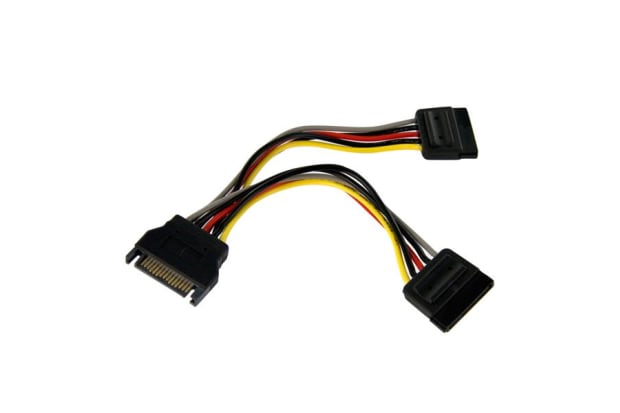
StarTech.com
StarTech.com offers a range of SATA cables with varying lengths and connector types available.
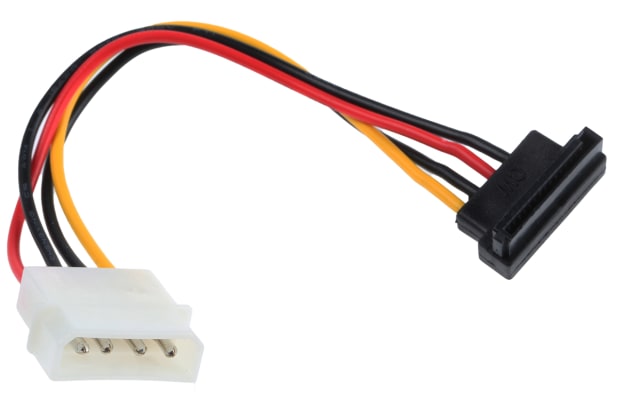
Related links
- SATA Cables
- StarTech.com Female SATA Data; SATA Power to Male SATA Data; SATA Power Cable, 300mm
- StarTech.com Female Slimline SATA to Male SATA Data; SATA Power Cable, 152.4mm
- StarTech.com LP4; SATA Data to SATA Data & Power Cable, 18in
- StarTech.com Female SATA Data to Female SATA Data Cable, 300mm
- StarTech.com Female SATA Data to Female SATA Data Cable, 152.4mm
- StarTech.com Female SATA Data to Female SATA Data Cable, 457.2mm
- StarTech.com Male SATA Data to Male SATA Data Cable, 6in