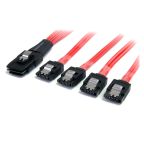
SATA Cables
Short for Serial Advanced Technology Attachment, SATA cables are essential connectors for modern data storage devices to a computer’s motherboard or controller, acting as the primary interface for hard disk drives (HDDs), solid-state drives (SSDs), and optical drives. For any high-performance build, choosing the right SATA and power cables is vital to ensure fast, reliable data transfer and stable power delivery across computers, NAS devices, and enterprise servers.
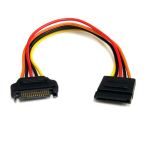
Most commonly, a SATA cable uses a 7-pin connector, while SATA power cables use a 15-pin connector supplied by the system’s power. These cables are available in various lengths and connector orientations, with power splitters allowing one power connector to supply multiple drives. You can learn more about these configurations in our guide to buying SATA cables.
What Is Hot Plugging?
Hot plugging (or hot swapping) is the ability to connect or disconnect storage devices while the computer or system remains powered on, without shutting it down. This feature allows drives to be added, replaced, or removed without interrupting operations.
The SATA interface is designed at the protocol level to support hot swapping, but its actual functionality depends:
- Controller Configuration: The SATA controller must support hot-swapping, typically via AHCI (Advanced Host Controller Interface).
- Operating System Support: The OS must dynamically detect and manage newly connected drives.
- Hardware Design: Enclosures, backplanes, and drive bays must allow safe hot plugging.
Hot plugging is particularly valuable in servers, workstations, storage arrays, and enterprise systems, where drive redundancy and rapid replacement are essential for maintaining high availability and minimizing downtime.
Common SATA Cable Types
Different SATA cable designs accommodate different installation constraints and system layouts:
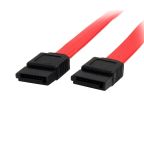
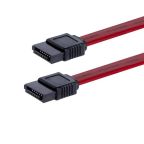
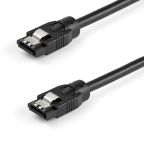
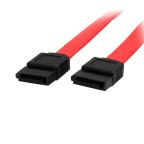
- Straight SATA Cables: These cables feature straight connectors on both ends and are commonly used when the drive and motherboard ports are easily accessible.
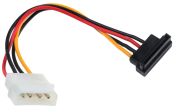
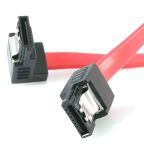
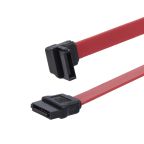
- Right-Angle SATA Cables: Right-angle (90-degree) connectors help improve cable routing and clearance in compact PC cases or densely populated server chassis.
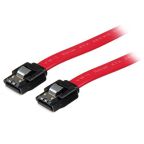
- Locking SATA Cables: Some SATA cables include metal retention clips that help secure the connector to the port, reducing the risk of accidental disconnection during system maintenance.
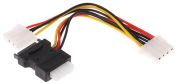
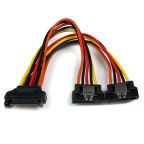
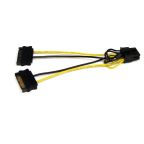
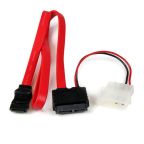
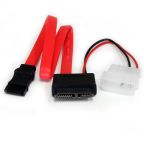
- SATA Power Splitter Cables: These cables allow a single SATA power connector from the PSU to supply power to multiple drives.
SATA Devices
SATA is a widely used interface for connecting internal storage devices in desktop computers, workstations, and servers. SATA cables provide the data connection between storage drives and the motherboard or storage controller, supporting a variety of common devices:
Hard Disk Drives (HDDs)
Traditional mechanical hard drives use SATA data cables to transfer data between the drive and the motherboard, while a separate SATA power connector supplies power to the drive motor and electronics from the power supply.
Solid-State Drives (SSDs)
Many 2.5-inch SSDs use the SATA interface to connect directly to the motherboard via a SATA data cable. These drives offer significantly faster read and write speeds compared with traditional HDDs while using the same SATA cabling standard.
Optical Drives
CD, DVD, and Blu-ray drives in compatible desktop systems typically use SATA data and power connections to communicate with the system and read or write media.
NAS and Storage Servers
Network-attached storage (NAS) systems and some RAID configurations use SATA connectivity to connect multiple internal drives to storage controllers. In enterprise environments, SATA may be used alongside other interfaces such as SAS or NVMe, depending on system requirements.
Other Devices
SATA connections may also be found in external drive enclosures, docking stations, embedded computing systems, and some small-form-factor devices. Always verify the device's interface specifications before selecting a cable.
Features & Benefits of SATA Cables
SATA technology has replaced the earlier Parallel ATA (PATA/IDE) interface, introducing improvements in speed, cable design, and system flexibility. Key advantages include:
- High-Speed Data Transfer: The SATA III standard supports a theoretical link rate of up to 6 Gbit/s (approximately 600 MB/s maximum bandwidth). Actual transfer speeds depend on the performance of the connected storage device and system controller.
- Compact and Flexible Cable Design: Compared with the wide ribbon cables used in legacy PATA systems, SATA cables are narrow and flexible, which improves airflow inside computer cases and simplifies cable routing and system assembly.
- Hot-Swap Support: In systems that support it, SATA devices can be connected or replaced without shutting the computer down. This feature is commonly used in servers, NAS systems, and removable drive bays to simplify maintenance and upgrades.
- Broad Hardware Compatibility: The SATA interface is widely supported across generations of hardware. A standard SATA data cable can be used with a variety of HDDs, SSDs, and optical drives.
- Cost-Effective Storage Connectivity: SATA cables provide an affordable, reliable way to connect internal storage devices while ensuring stable data transfer and system compatibility.
How to Choose the Right SATA Cable?
Selecting the right SATA cable ensures reliable connectivity between storage devices and the system motherboard or controller. When choosing a SATA cable for a computer, server, or storage appliance, it is important to consider the following:
- Cable Length: Choose a cable length appropriate for the system layout. Shorter cables can improve internal cable management and airflow inside computer cases, while longer cables may be necessary for larger enclosures, server chassis, or storage systems with separate drive bays.
- Connector Type: Standard SATA data cables use 7-pin connectors compatible with SATA I (1.5 Gb/s), SATA II (3 Gb/s), and SATA III (6 Gb/s) devices. In most systems, data transfer performance depends on the connected storage device and controller rather than the cable itself.
- Power Connection: Storage devices require a 15-pin SATA power connector from the power supply along with the data cable. Ensure that the power supply unit (PSU) provides the correct SATA power connections or adapters for the installed drives.
- Cable Durability: In systems that experience vibration or frequent servicing, SATA cables with locking connectors or reinforced strain relief can help maintain a secure connection and reduce the risk of accidental disconnection.
- Price: Compare the cable prices across our range to find the best fit for your budget. RS Philippines offers competitive rates for both individual and bulk orders.
- Brand & Warranty: Selecting cables from reputable manufacturers like RS PRO can help ensure reliable performance and compliance with SATA interface specifications. Warranty support also provides additional assurance for long-term use.
Key SATA Specifications to Consider
Review the following specifications before buying SATA cables for system builds or upgrades:
- SATA Interface Versions: SATA interface versions include SATA I (1.5 Gb/s), SATA II (3 Gb/s), and SATA III (6 Gb/s), but the physical data cable design remains largely compatible across these generations.
- Maximum Cable Length: The SATA specification typically recommends a maximum length of 1 meter to maintain signal integrity and reliable data transmission.
- Connector Orientation: In systems with limited internal space, angled connectors can improve cable routing and prevent interference with adjacent components.
- Build Quality and Shielding: Higher-quality cables may offer improved durability and resistance to mechanical wear, particularly in systems that undergo frequent hardware changes or maintenance.
Applications of SATA Cables
SATA cables are widely utilized across computing and storage systems to connect internal storage devices and support data transfer between drives and system controllers.
- PCs and Laptops: SATA cables connect internal hard disk drives (HDDs), solid-state drives (SSDs), and optical drives to the motherboard or storage controller. These are often installed alongside other peripherals using HDMI cables, VGA cables, or DVI cables for display connectivity.
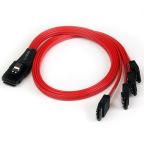
- Servers and NAS Systems: In servers, data centres, and network-attached storage (NAS) systems, SATA connections link multiple drives to RAID controllers or backplanes to support large-capacity storage arrays.
- External Storage Solutions: Many external drive enclosures and docking stations use SATA internally to connect storage drives, then convert the interface to USB or network connectivity.
- Industrial and Embedded Systems: Industrial computers, digital video recorders, and embedded platforms frequently use SATA storage for operating systems, data logging, or application storage.
Why Buy SATA Cables from RS Philippines?
RS Philippines supplies SATA cables from trusted brands such as StarTech.com, Roline, and our very own RS PRO, offering options suitable for professional IT installations, workstation upgrades, and maintenance tasks. As a convenient one-stop source, you can pair your SATA cable with compatible hard drives, SSDs, and related computer accessories for a seamless system upgrade. Whether you need a single black SATA cable or a bulk order for multiple builds, RS offers options suitable for professional users, along with reliable delivery services across the country. Visit our Delivery page for more details on delivery times and fees.